Overview
This writeup documents the exploitation of a vulnerable Broadcast Receiver in the IOT Connect Android application. The flaw allows an unauthenticated user to activate the master switch, turning on all connected IoT devices.
The issue is a combination of exposed broadcast receivers, weak validation logic, and insecure cryptographic usage, which together enable full device control via a crafted broadcast intent.
Application Walkthrough
Before touching the code, we should test the application from a real user perspective to understand its intended security model and access restrictions.
Authentication Flow
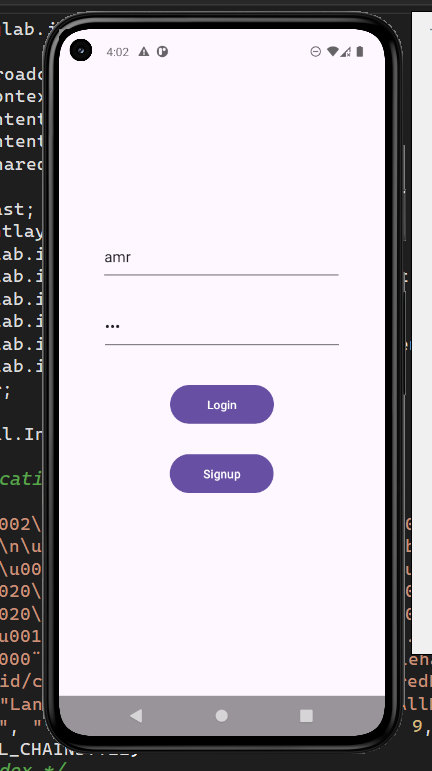
Upon launching the application, the user is presented with a simple authentication screen offering Login and Signup options. This establishes the initial trust boundary of the app.
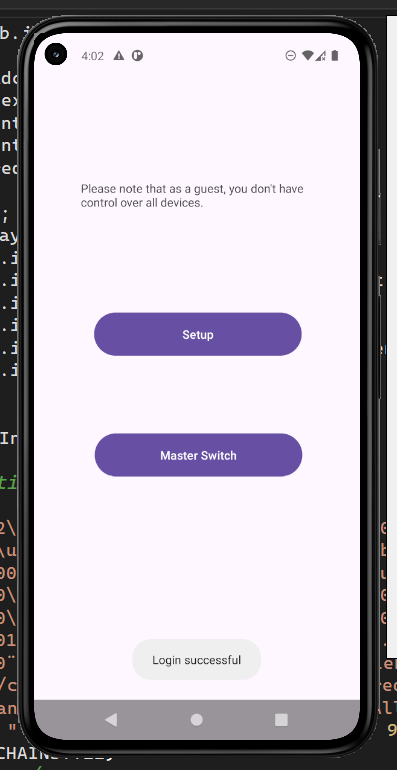
After logging in as a guest user, the application confirms successful authentication and redirects to the main dashboard.
Device Control Permissions
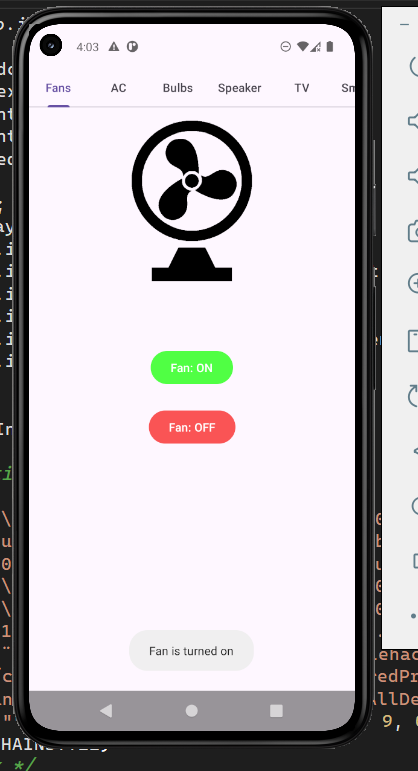
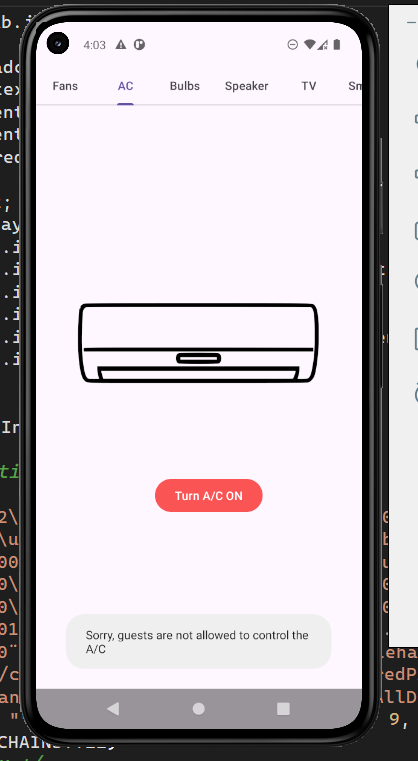
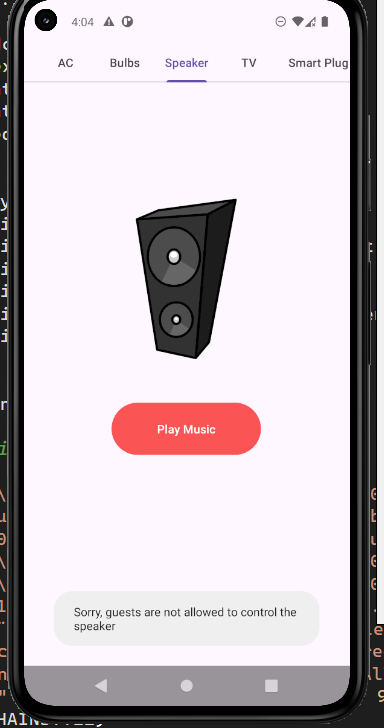
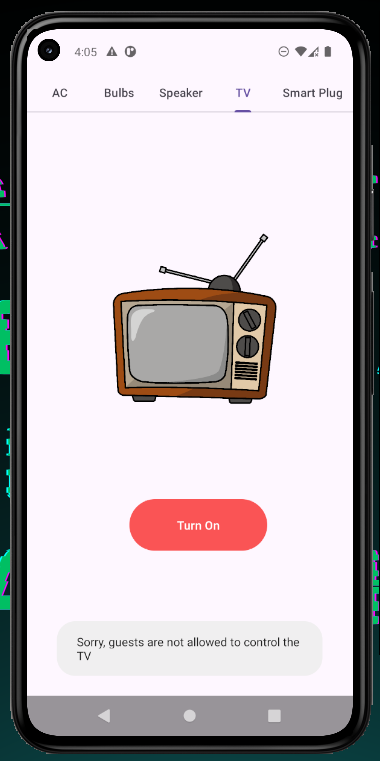
The main dashboard exposes multiple IoT device categories via tabs, each reflecting different authorization levels for guest users:
Fans: Fully controllable (ON/OFF allowed).
Smart Plug: Fully controllable.
Bulbs: Fully controllable.
AC: Restricted - guest users are explicitly blocked.
Speaker: Restricted - control denied.
TV: Restricted - control denied.
This behavior indicates a permission-based design, where only certain devices are accessible to guest users.
Master Switch Feature
Back on the main dashboard, a Master Switch button is available. This feature is designed to control all devices at once.
When a guest user attempts to use the Master Switch, the application redirects to a new screen requesting a 3-digit PIN.
Entering an incorrect PIN results in the message:
"Sorry, the masterswitch can't be controlled by guests"
This strongly suggests that the Master Switch is intended to be restricted to privileged users only, making it a high-value target for further analysis.
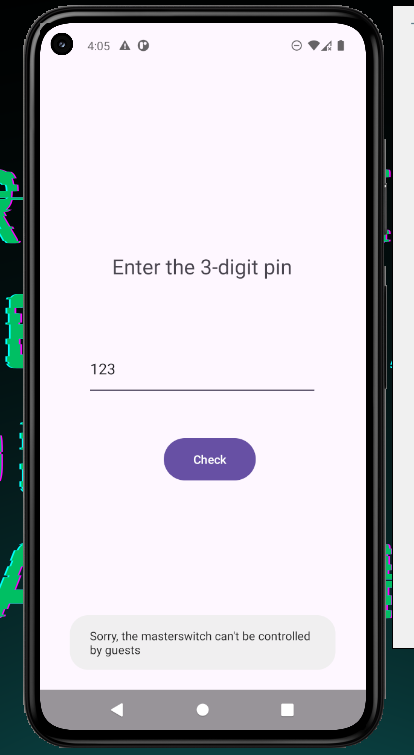
Based on this GUI reconnaissance, it became clear that:
The application enforces restrictions at the UI level.
Individual device permissions vary by role.
The Master Switch represents a centralized, sensitive control point.
With this understanding of the application's intended behavior, the next step was to investigate how these restrictions are enforced internally.
Discovery Phase
The first step was reviewing the application manifest to identify exposed components.
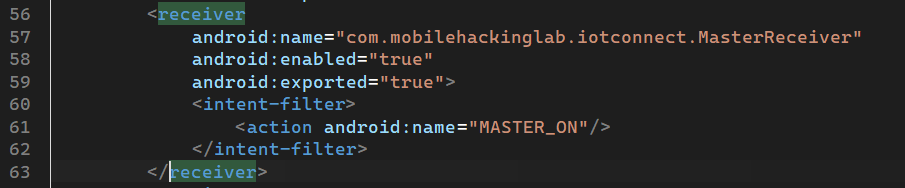
In AndroidManifest.xml, the following broadcast receiver was found:
<receiver
    android:name="com.mobilehackinglab.iotconnect.MasterReceiver"
    android:enabled="true"
    android:exported="true">
    <intent-filter>
        <action android:name="MASTER_ON" />
    </intent-filter>
</receiver>
Key observations:
The receiver is exported, meaning it can be triggered by other apps.
No permission is required to send the broadcast.
The action string (
MASTER_ON) is simple and predictable.
Code Analysis
CommunicationManager
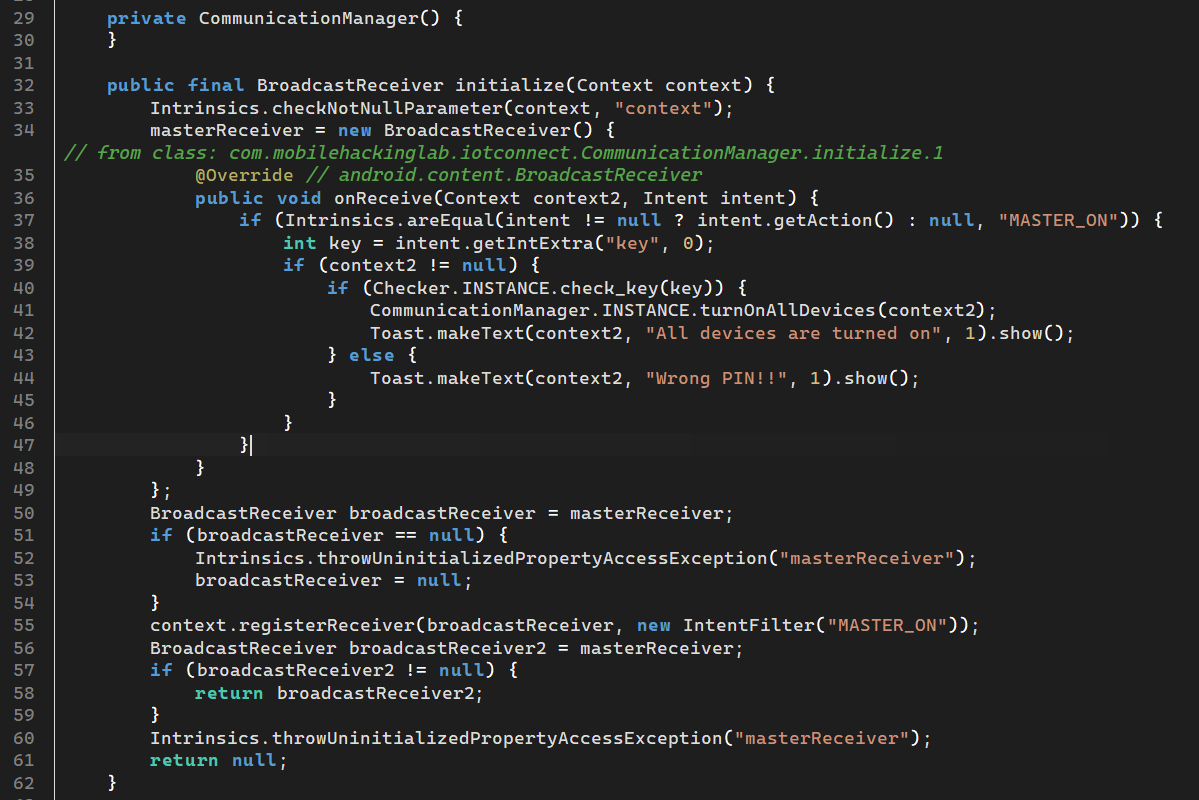
Further reverse engineering revealed that the actual broadcast receiver logic is implemented as an anonymous BroadcastReceiver inside the CommunicationManager class.
Relevant code snippet:
masterReceiver = new BroadcastReceiver() {
    @Override
    public void onReceive(Context context, Intent intent) {
        if ("MASTER_ON".equals(intent.getAction())) {

            int key = intent.getIntExtra("key", 0);

            if (Checker.INSTANCE.check_key(key)) {
                CommunicationManager.INSTANCE.turnOnAllDevices(context);
                Toast.makeText(
                        context,
                        "All devices are turned on",
                        Toast.LENGTH_LONG
                ).show();
            } else {
                Toast.makeText(
                        context,
                        "Wrong PIN!!",
                        Toast.LENGTH_LONG
                ).show();
            }
        }
    }
};
Important points:
The receiver trusts data coming directly from the broadcast intent.
Authentication is reduced to a single integer value (
key).There is no verification of the sender or user session.
PIN Validation Logic (Checker)
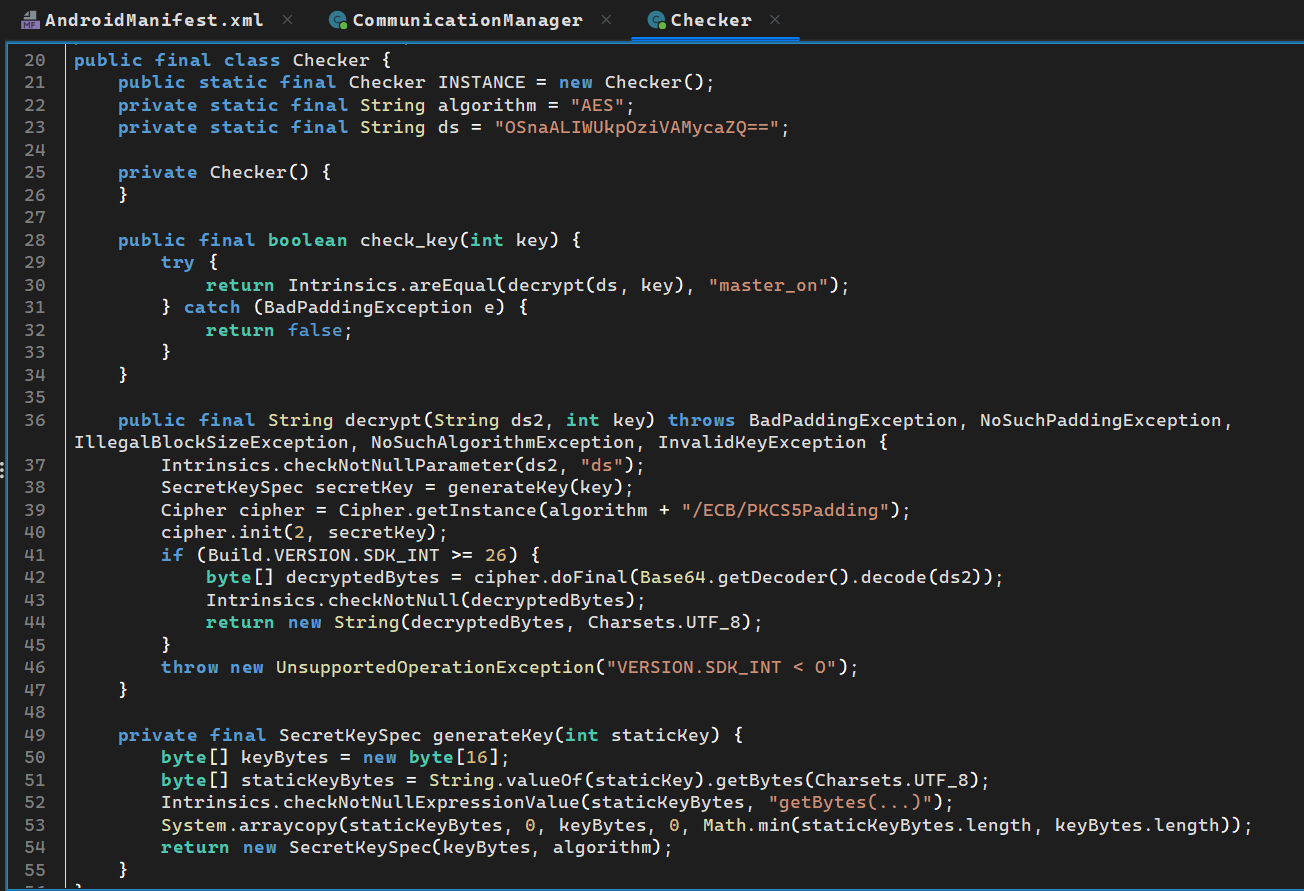
The PIN verification is handled in the Checker class.
private static final String ds = "OSnaALIWUkpOziVAMycaZQ==";

public final boolean check_key(int key) {
    return decrypt(ds, key).equals("master_on");
}
The key is used to generate an AES key and decrypt a hardcoded encrypted string. If the decrypted value matches "master_on", the PIN is considered valid.
Key weaknesses:
AES is used in ECB mode.
The encryption key is derived directly from a user-controlled integer.
The encrypted value is static and stored in the APK.
Exploitation
Offline PIN Recovery
Since the encrypted value and decryption logic are fully exposed, the PIN can be brute-forced offline without interacting with the application.
A simple Python script was written to replicate the AES decryption logic and test integer values until the plaintext "master_on" was recovered.
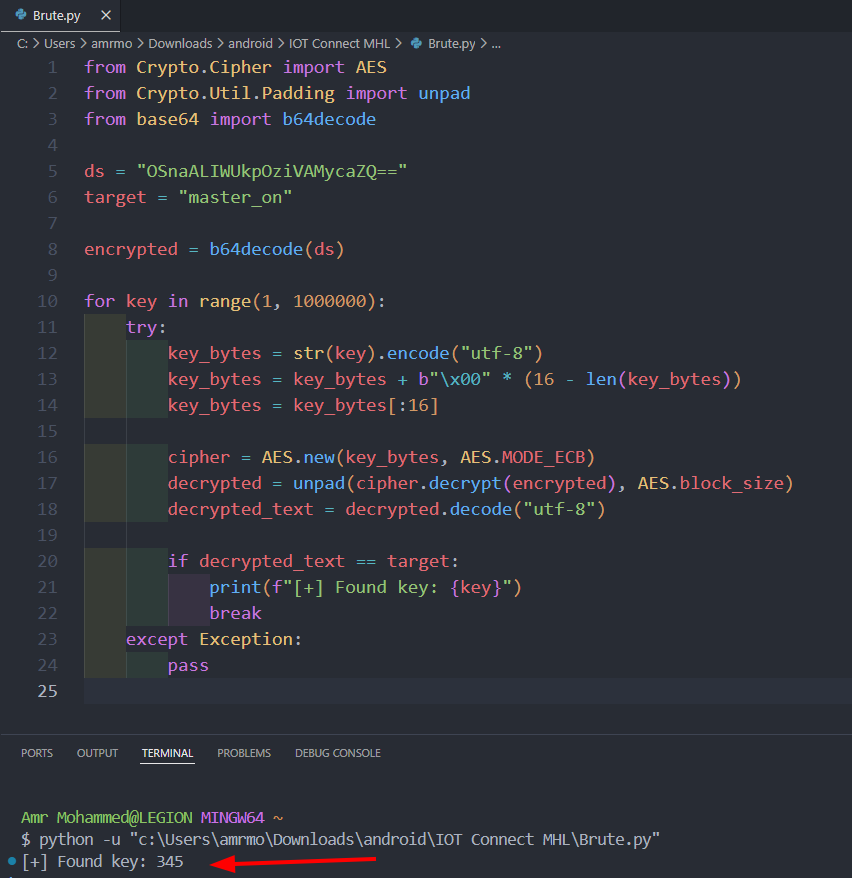
The correct PIN was identified as:
345
Triggering the Broadcast
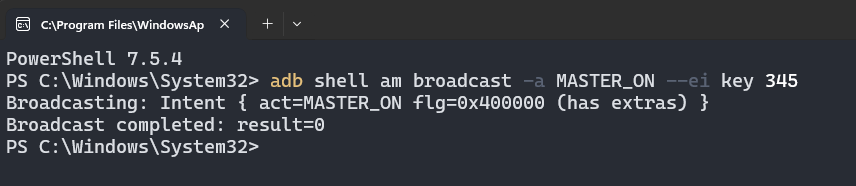
With the valid PIN known, the broadcast receiver can be triggered directly using ADB:
adb shell am broadcast -a MASTER_ON --ei key 345
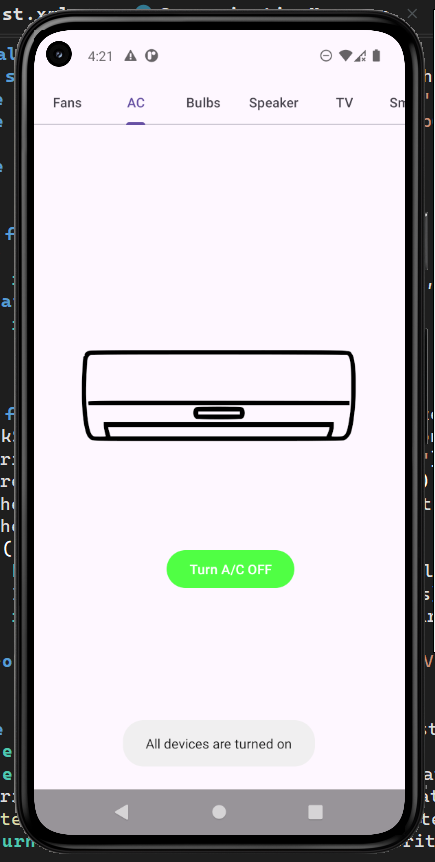
Upon sending this broadcast:
The receiver validated the PIN.
turnOnAllDevices()was executed.All IoT devices were activated successfully.
Impact
This vulnerability allows any local application or user with ADB access to:
Bypass authentication controls.
Enable the master switch without authorization.
Gain full control over all connected IoT devices.
In a real-world scenario, this could lead to serious privacy and safety risks.
Mitigation Recommendations
To prevent such vulnerabilities:
Avoid exporting broadcast receivers unless absolutely necessary.
Enforce permissions on sensitive receivers.
Never rely on intent extras for authentication or authorization.
Use secure cryptographic practices (avoid ECB mode and hardcoded secrets).
Prefer in-app logic or
LocalBroadcastManagerfor internal communication.
Conclusion
This challenge demonstrates how insecure broadcast receiver implementations, combined with weak cryptographic design, can lead to complete application compromise. It highlights the importance of treating all inter-component communication as untrusted input and enforcing strict validation and access controls in Android applications.
About the author
It's a journey from 0 to 1
Comments
Join the discussionNo comments yet. Be the first to comment.
Mobile Hacking Lab
Mobile pentesting writeups from Mobile Hacking Lab covering IPC exploitation, Frida-based dynamic analysis, SSL pinning bypass, and secure remediation.